 DASAPT
 Xinren Chen
DASAPT 4.1.11 can write a PowerPoint of the current 3D camera in one step.
https://dasapt.com/forum/download
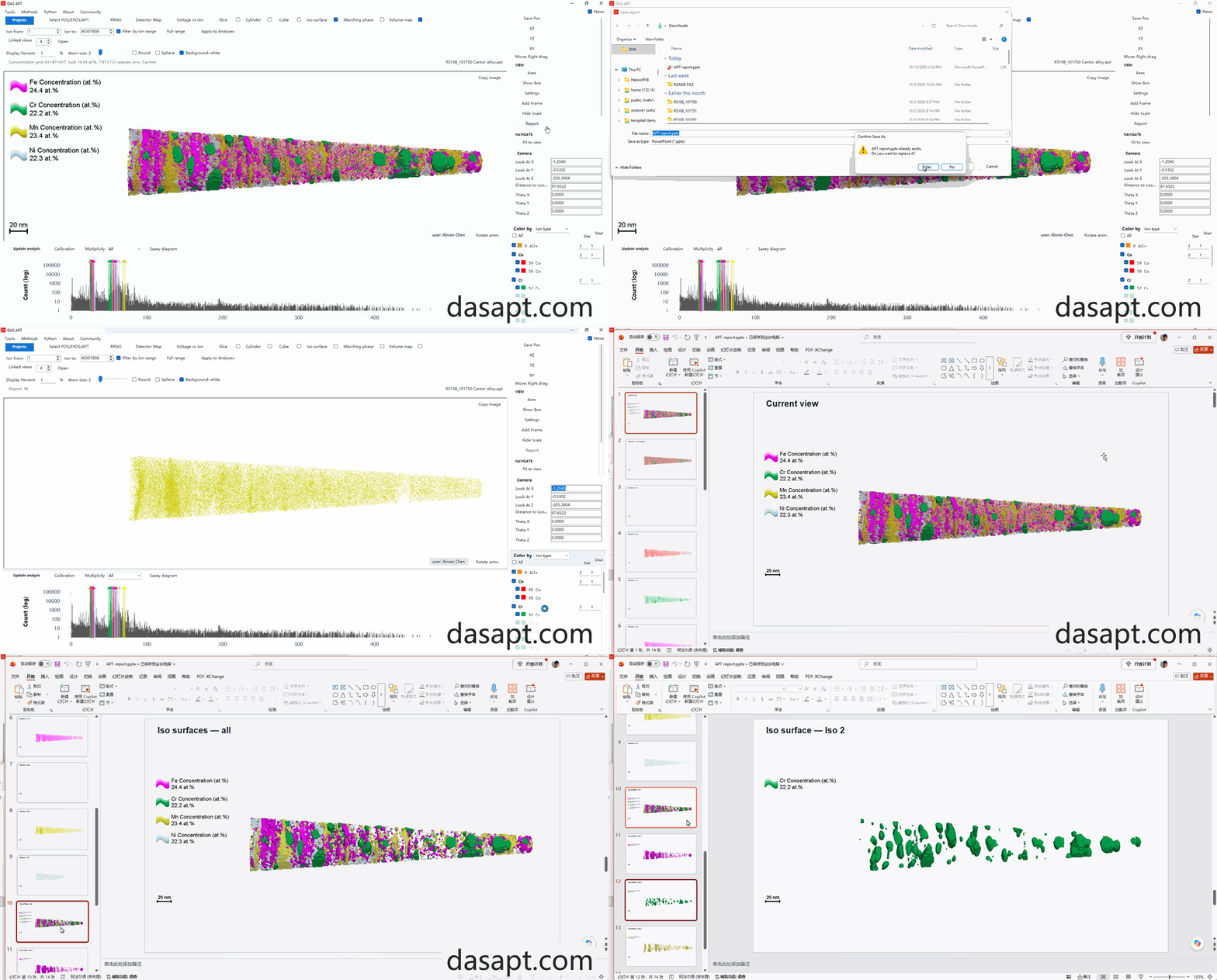
- Set the camera, and leave checked the elements, iso surfaces, and volume maps you want.
- In View, click Report.
- Every figure is checked. Clear any you do not want, then click Export.
- The suggested file name starts with the project name, for example FeAlNi report.pptx.
The slides are the current view, all checked elements together, each checked element on its own, every iso surface, and every volume map. Each slide has a scale bar. An element slide shows a shaded sphere in that element's color.
The camera does not move. When the file is saved, the 3D view returns to the ions and overlays you had checked.
中文
DASAPT 4.1.11 可以按当前三维视角一键生成 PowerPoint。下载:https://dasapt.com/forum/download
- 摆好视角,勾上要出图的元素、等值面和体密度图。
- 在右侧 View 里点 Report。
- 列表默认全部勾选。去掉不需要的图,再点 Export。
- 默认文件名带项目名,例如 FeAlNi report.pptx。
幻灯片依次是:当前视角、所有已勾选元素叠在一起、每种元素单独一张、每张等值面、每张体密度图。每张图都有比例尺。元素图右上角有一颗该元素颜色的三维球体。
相机不会被改动。保存结束后,三维视图恢复到原来的勾选状态。
0 comments
Sign in to comment.